
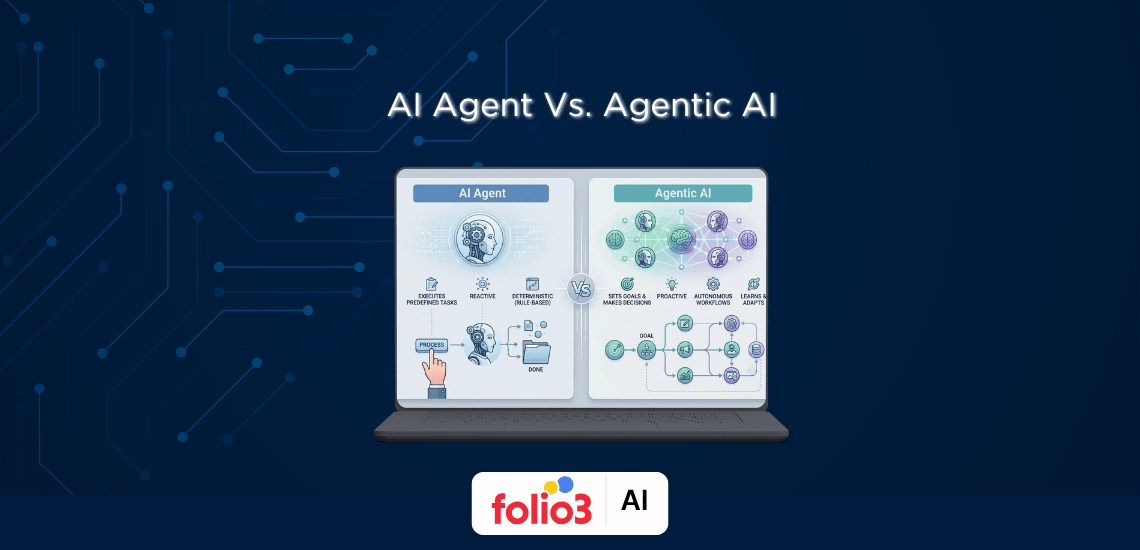
AI Agent vs Agentic AI: What's the Difference?
This guide breaks down the real difference, how each one works, when to use them, and what business owners should pick for their next automation project.
AI agent workflows turn raw LLM capability into reliable systems that reason, plan, and act. This guide breaks down workflow types, tools, design steps, and best practices business owners need to build agentic AI workflows that actually ship.
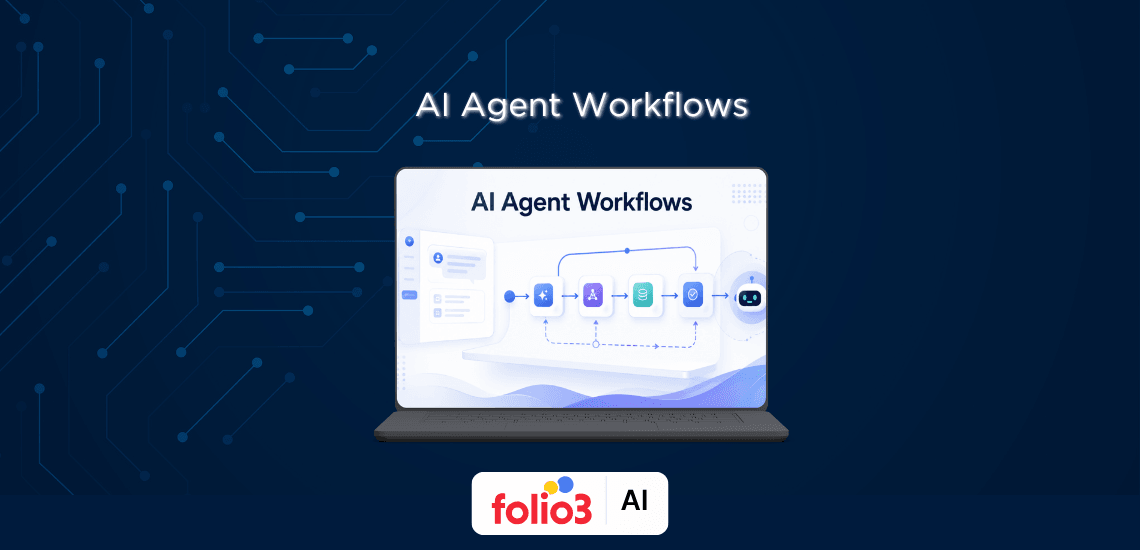
Most teams these days have already run a pilot with an AI agent. About half of them got something working in a demo and then watched it fall apart the moment real users showed up. That gap between "the agent answered correctly in testing" and "the agent handles Monday morning" is what AI agent workflows are built to close.
According to a 2024 McKinsey survey, 72% of organizations now use AI in at least one business function, but far fewer have moved beyond pilots. The reason is rarely the model. It's the workflow around the model. If you want to see what production-grade agentic systems look like, the team at Folio3 Agentic AI builds exactly this for enterprise clients, and a lot of what follows comes from patterns we've seen work and fail across real deployments.
An AI agent workflow is the structure that tells an agent what to do, in what order, and what to do when things go wrong. It's the difference between a single chat prompt and a system that can take a customer request, classify it, pull data from three places, draft a response, and route it for approval, without anyone babysitting it.
Agentic workflows usually have five stages. The agent perceives input from a user, an API, or another agent. It reasons about what the input means. It plans a sequence of steps. It acts by calling tools or generating output. Then it reflects, checking whether the result is good enough or whether it needs another pass.
The orchestration is the whole point. A model on its own gives you a clever response. A workflow gives you a system you can debug, monitor, and trust.
A good model with a bad workflow loses to a smaller model with a good workflow. I've watched a GPT-3.5 pipeline with proper validation outperform a GPT-4 agent that was just asked to "figure it out." The reason is that workflows give you reliability, observability, and a place to put guardrails. They also let you bring humans in at the points where the cost of being wrong is high.
For business owners, the practical impact is this: as the AI agent market size continues to expand, workflow design is what determines whether your AI investment becomes a production system or stays a demo.
Before you pick a pattern or a tool, it helps to know the pieces that every workflow for AI agents is built from. There are five.
The model is the brain. It interprets input, makes decisions, and generates output. The choice of model matters less than people think for routing and classification steps, where a cheaper model is usually fine. For complex reasoning, you want your strongest available model.
Tools are how an agent does anything beyond generating text. Function calling lets the model decide which tool to use and with what arguments. Common tools are API clients, database queries, web search, code execution, and file readers. Anthropic's tool use documentation is a good reference for how this works in practice.
Short-term memory holds the current conversation or task context. Long-term memory, usually a vector database or a knowledge graph, stores things the agent should remember across sessions. The hard part is deciding what to keep and what to throw away. Context windows are finite, and stuffing them full of irrelevant history makes the agent worse, not better.
Planning is when the agent breaks a goal into smaller steps. Some agents plan once upfront. Others replan after every step. Replanning is more flexible and more expensive.
This is the layer that decides how the pieces connect. Does the workflow run in sequence, branch on a condition, loop until a check passes, or hand off between agents? The orchestration layer is where most engineering effort goes once the basics are working.
There are eight patterns worth knowing. Most production systems combine two or three of them.
Tasks run one after another. The output of step one becomes the input to step two. A content pipeline that researches, outlines, drafts, and edits is the classic example. It's the easiest pattern to debug and the easiest to reason about. Start here unless you have a clear reason not to.
An initial step classifies the input and sends it down one of several paths. A support agent who decides whether a ticket is billing, technical, or sales, and routes it to a specialist sub-agent, is the standard case. Routing workflows are how you keep specialist prompts focused without building one giant prompt that tries to do everything.
Independent subtasks run at the same time, and then the results are merged. A market research agent who pulls news, financials, and social data in parallel and then writes a summary is a good fit. The win is speed. The cost is that you need to handle the case where one branch fails, and the others succeed.
A central orchestrator agent decides what needs to be done, spawns worker agents to do it, and collects the results. This is different from routing because the orchestrator is making the decomposition decision dynamically based on the input, not picking from a fixed menu.
One agent produces an output. A second agent evaluates it against the criteria. If it fails, the first agent tries again with feedback. This is how code-writing agents get to "all tests pass" and how content agents get to "matches the brief." Set a max iteration count, or you will burn through your API budget by morning.
A supervisor agent assigns subtasks to specialist agents, monitors them, and synthesizes a final result. It looks like routing, but the supervisor stays involved through the whole task, resolving conflicts and reassigning work. Good for research projects and anything that needs a single coherent output from many sources.
Multiple agents with different roles talk to each other directly without a central boss. A product manager agent, a developer agent, and a reviewer agent passing work back and forth is the canonical example. CrewAI is built around this pattern. It's powerful, and it's also the easiest pattern to lose control of.
The agent decides its own goals, plans, and actions with minimal structure. These are the most flexible and the least predictable. Most businesses should not run fully autonomous agents in production yet. The exceptions are sandboxed tasks where the cost of a wrong action is low.
Agentic AI Solutions
See how Folio3's agentic AI platform automates complex processes — from decision-making to execution — without human intervention.
Explore Agentic AIThe tooling has consolidated a lot in the last year. Here are the ones worth knowing.
LangGraph extends LangChain with a graph model where nodes are agent actions and edges are transitions. You get explicit state, conditional routing, and built-in support for human-in-the-loop. It has a learning curve, but it's the most controllable option for complex agentic AI workflows.
CrewAI is built around the idea of agents with roles, goals, and backstories working as a crew. If your mental model for the problem is "a team of specialists collaborating," CrewAI maps to that cleanly. It's faster to get started with than LangGraph and less flexible at the edges.
Anthropic's Claude Agent SDK gives you tools for use, file handling, and a managed runtime tuned for Claude models. If you've committed to Claude, this is the lowest-friction path to a production agent.
Microsoft's AutoGen treats agent interaction as a structured conversation. It supports both autonomous and human-in-the-loop modes and integrates well with the Microsoft stack. Strong choice for enterprise teams already on Azure.
n8n, Flowise, and Relevance AI let you build workflows visually. They're not as flexible as code-first frameworks, but they're useful for prototyping and for letting business users own simpler automations. For early validation before you commit engineering time, they're hard to beat.
Tool | Best for | Multi-agent | Learning curve |
LangGraph | Complex stateful workflows | Yes | Moderate |
CrewAI | Role-based collaboration | Yes | Low |
Claude Agent SDK | Claude-based production agents | Yes | Low |
AutoGen | Conversational enterprise agents | Yes | Moderate |
n8n / Flowise | Prototypes and business users |
If you're not sure, start with CrewAI or n8n to validate the idea, then move to LangGraph or Claude Agent SDK once you're ready for custom ai agent development and know what you actually need.
This is the process I'd use for a new project.
Write down what the agent needs to do and how you'll know it worked. "Resolve 60% of tier-one support tickets without human review, with a customer satisfaction score above 4.0" is a usable target. "Automate support" is not.
Match the problem to a pattern. Linear task with clear steps: sequential. Multiple categories of input: routing. Output that needs refinement: evaluator-optimizer. Don't pick multi-agent unless you've ruled out simpler options.
Break the work into the smallest steps that still make sense to evaluate independently. If you can't write a test for a step, the step is probably too big or too vague.
Each step gets only the tools it needs. A classification step doesn't need database write access. This is a security control and a debugging aid.
Decide how each step's output gets checked. Sometimes that's a schema validation. Sometimes it's another agent grading the output. For high-stakes steps, it's a human.
Log inputs, outputs, token usage, latency, and errors for every step. Tools like LangSmith and Arize Phoenix exist for this. Without logs, you cannot improve the workflow because you cannot see where it fails.
Run the workflow on a small slice of real traffic. Look at the failures. Fix the most common one. Repeat. Don't scale until your success rate on the test slice is where you need it.
AI Agent Marketplace
Browse a library of ready-to-deploy AI agents for HR, finance, sales, logistics, and more — built for enterprise environments and fast integration.
Browse the MarketplaceSome of these will hit you no matter how careful you are.
An agent gets stuck retrying a tool that keeps failing, or an evaluator-optimizer loop never converges. Always set max iteration counts and a token budget per task. I've seen teams discover this the hard way after a single overnight run cost more than their monthly API budget.
The more tools you give an agent, the worse it gets at picking the right one. Same with context. Keep tool lists short per step and prune context aggressively.
Long reasoning chains compound errors. If step one is 90% reliable and you have five steps, you're at 59% end-to-end. The fix is shorter chains, validation at each step, and using smaller specialized agents instead of one big reasoner.
When two agents disagree or pass bad data to each other, finding the root cause is hard. This is the main reason to delay multi-agent designs until you actually need them.
An agent with database access is a database client. Treat it that way. Use scoped credentials, validate inputs and outputs, and never let an agent execute code it generated without a sandbox.
A short list of things that consistently work.
Version your prompts the way you version code. Prompts are source code for agentic workflows, and treating them as throwaway text is how you end up unable to reproduce a bug from last week.
These are patterns I've seen work in production at companies that aren't AI labs, and they cover some of the most common ai agent use cases showing up across industries right now.
A routing workflow classifies incoming tickets, pulls relevant account data, drafts a response for tier-one issues, and hands tier-two and tier-three issues to humans with a summary. Klarna reported in 2024 that its AI assistant was handling two-thirds of customer service chats within a month of launch.
Sequential workflows that extract data from invoices, contracts, or claims, validate the extraction against business rules, and push the results into a system of record. A legal ai agent reviewing contract terms is a common version of this pattern, and it's where most enterprises are getting their first clear ROI.
Evaluator-optimizer loops where the agent writes code, runs tests, reads the failures, and iterates. GitHub Copilot Workspace and Claude Code are public versions of this pattern.
Parallel workflows that hit multiple sources, a hierarchical pattern that has a supervisor stitch the findings together, and a final pass that produces a structured report. Good fit for competitive intelligence and market sizing.
Conditional workflows that monitor inventory signals, classify the situation, and either auto-execute a reorder, escalate to a planner, or open a ticket. The agent decides which path based on confidence and value at risk.
The teams that get value from agentic AI workflows are not the ones with the biggest models. They're the ones who picked a real problem, started with a simple pattern, instrumented everything, and made the workflow boring and predictable before they made it ambitious. If you're trying to figure out where to start in your own business, that's the order: pick the problem first, then the pattern, then the tool.
Get Expert Guidance
Talk to our team about data readiness, governance, and a clear path from strategy to production.
Talk to Our AI TeamAn AI agent is the decision-making entity, usually an LLM with tools. An agentic workflow is the structure that defines how one or more agents perceive input, plan, act, and check their work. The agent is the actor. The workflow is the script and the stage.
Sequential chains, routing workflows, parallel execution, evaluator-optimizer loops, and hierarchical multi-agent systems. Most production deployments combine two or three patterns rather than using one in isolation.
LangGraph for fine-grained control, CrewAI for role-based teams, Claude Agent SDK for Claude-native production agents, AutoGen for conversational enterprise systems, and n8n for visual prototyping. There is no single best choice. The right answer depends on your team's skills and your use case.
No, and most shouldn't be. Human-in-the-loop checkpoints at high-stakes decision points are how you keep agents safe and how you build trust with stakeholders. Autonomy is a dial, not a switch.
Log inputs, outputs, token usage, latency, and tool call results for every step. Use tracing tools like LangSmith or Arize Phoenix to visualize execution. Track success rates and set alerts for anomalies. If you can't see what the workflow did, you can't improve it.
Yes. Platforms like n8n, Flowise, and Relevance AI let non-developers build working agent workflows through visual interfaces. They're good for prototypes and for simpler production automations. For complex stateful systems, code-first frameworks still give you more control.
This guide breaks down the real difference, how each one works, when to use them, and what business owners should pick for their next automation project.
Agentic AI is transforming enterprise operations in 2026, with rapid market growth, rising adoption, strong ROI, expanding use cases, and increasing focus on governance, security, and workforce impact.
-c7a98ba5-1130-4ec6-9ead-2f817af21bd7.png&w=1920&q=90)
Limited
Low |
Explore 75 real-world AI agent use cases across healthcare, finance, insurance, retail, logistics, HR, cybersecurity, and more. Learn how AI agents move beyond chatbots to automate tasks, make decisions, and complete workflows across industries.